
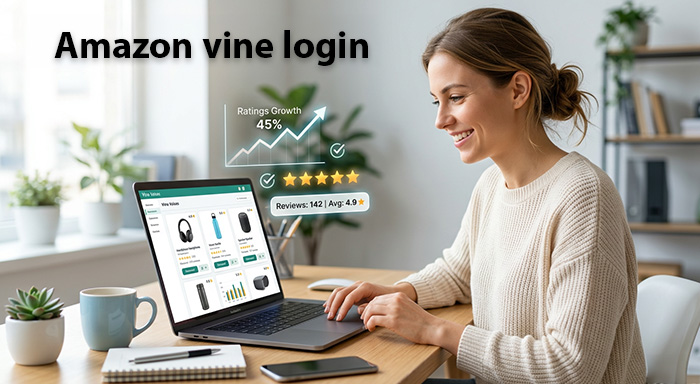
Searching for Amazon Vine login usually means you are trying to access Amazon Vine as either a Vine Voice or an Amazon seller. While the program itself is straightforward once you are inside, getting to the correct account and understanding who can access which part of Vine can be confusing.
Amazon Vine is Amazon’s review program that connects selected reviewers, known as Vine Voices, with products offered by participating sellers. Vine Voices can request eligible products and provide honest feedback, while sellers use the program to introduce products to reviewers and build early customer feedback. Amazon says Vine Voices are selected based on the insightfulness of reviews they have previously published on Amazon.
The important thing to remember is that Amazon Vine is not a separate public marketplace where anyone can simply create an account and start reviewing products. Access depends on your role and eligibility. If you are a seller, Vine is accessed through Seller Central when your account meets the requirements. If you are a Vine Voice, access is connected to the Amazon account associated with your invitation.
What Is Amazon Vine?
Amazon Vine is designed to help shoppers find more useful and trustworthy product information. Amazon invites selected reviewers to participate as Vine Voices, and participating sellers provide eligible products for those reviewers to evaluate. The reviewers then share their genuine opinions through Amazon reviews.
The program is different from ordinary product reviewing because Vine Voices are selected by Amazon rather than simply signing up whenever they want. Amazon describes Vine Voices as reviewers chosen for the quality and insightfulness of their previous Amazon reviews. That means there is no normal public application form that guarantees access to the program.
For sellers, Vine can be particularly useful when launching a new product. Instead of waiting months for organic customer reviews to appear, an eligible seller can enroll a qualifying product and make it available to participating Vine Voices. Amazon currently describes Vine as a way to obtain high-quality reviews and improve product discoverability.
How Amazon Vine Login Works for Vine Voices
If you have been invited to Amazon Vine, your access is generally associated with the Amazon account used for your Vine participation. In practical terms, you should start by signing in to the official Amazon website using the account connected with your invitation rather than looking for an unrelated third-party Vine login page.
This distinction matters because many websites and search results use phrases such as “Amazon Vine login,” “Vine reviewer login,” or “Vine account login.” Some may simply direct you to Amazon, while others can be misleading. For security, avoid entering your Amazon password on websites that are not official Amazon properties.
Once you are signed into the correct Amazon account, the Vine area should be available if your account has the appropriate access. If you have recently received an invitation but cannot see Vine, do not immediately assume that your account has been rejected. Account recognition, regional availability, browser sessions, and sign-in issues can all affect what you see.
Amazon Vine Login for Sellers
The seller side of Amazon Vine works differently. Sellers do not use a normal consumer Vine account to manage products. Eligible selling partners access Vine through Seller Central. Amazon’s seller guidance explains that Vine is available to qualifying professional selling partners and that eligible sellers can enroll products through Seller Central.
Seller eligibility is important because having an Amazon seller account alone does not necessarily mean you can use Vine. Amazon states that professional selling accounts and appropriate brand ownership or Brand Registry status are among the requirements for seller participation. Eligible products also need to satisfy Amazon’s program conditions.
If you are already selling on Amazon and cannot find Vine after signing into Seller Central, check whether your seller account and brand meet the current requirements. Amazon’s own documentation also notes that sellers may encounter a “Not authorized” page when their account or products do not meet program restrictions.
Where to Find Amazon Vine After Logging In
For sellers, Amazon’s current guidance points to Seller Central, where Vine can be accessed through the seller interface. Amazon has described the route as being under the advertising section of Seller Central.
For Vine Voices, access is tied to the Amazon account that has been invited into the program. This is why using the correct Amazon account is one of the first things to check when the Vine page does not appear.
If you are unsure which account you used, think about the Amazon account where your invitation or Vine-related communication was received. Signing into a different Amazon account can make it appear as though Vine access has disappeared when the actual issue is simply that you are using the wrong account.
You can use Amazon’s official Vine information page when available in your region, and sellers can also review Amazon’s official seller information about Vine before attempting to access the program.
Common Amazon Vine Login Problems
One of the most common problems is signing into the wrong Amazon account. People sometimes have separate accounts for shopping, business activities, family members, or different regions. If your Vine access is connected to one particular account, signing into another account will not necessarily show the Vine features you expect.
Another common issue is an expired or confused browser session. If Amazon repeatedly sends you back to the login page, try signing out completely, closing unnecessary Amazon tabs, and signing in again. You can also try a private browsing window or another supported browser. These simple steps can eliminate problems caused by old cookies or conflicting sessions.
A third possibility is that you are looking at the wrong Amazon marketplace. Amazon operates different marketplaces for different countries and regions, and services can vary between them. If you have legitimate Vine access but are checking a different marketplace, the experience may not look the same. It is better to use the Amazon marketplace associated with your account and invitation.
What to Do If Your Amazon Vine Login Does Not Work
Start with the basics before assuming there is a problem with your Vine account. Confirm that your Amazon email address or mobile number is correct, make sure your password is entered accurately, and complete any security verification Amazon requests. If you cannot access your normal Amazon account, use Amazon’s official account-recovery process rather than a third-party “Vine recovery” service.
If your normal Amazon account works but Vine does not appear, the problem may be related to eligibility or account access rather than your password. For sellers, Amazon specifically recommends reviewing Vine eligibility when an unauthorized message appears.
It is also worth checking whether Amazon has changed the program’s current requirements. Vine policies and eligibility conditions can evolve, so an old tutorial or forum post may not accurately describe the current process. Amazon’s official seller documentation should be treated as the most reliable source when information conflicts.
Amazon Vine Login Security Tips
Because Amazon Vine is connected to an Amazon account, protecting your login credentials is extremely important. Never give your Amazon password to someone claiming they can “activate” Vine access for you. Vine participation is not something that should require handing your account credentials to another person.
Be especially cautious with websites promising guaranteed Vine invitations. Amazon Vine is an invitation-based program for reviewers, and there is no legitimate shortcut that guarantees that someone will be selected. Amazon says Vine Voices are chosen based on the insightfulness of their Amazon reviews.
Use a strong, unique Amazon password and enable available account-security features. If you receive a suspicious email or message asking you to confirm your Amazon login through an unfamiliar website, do not follow the link blindly. Instead, open Amazon directly through your normal browser and sign in from the official website.
What Vine Voices Actually Receive
For Vine Voices, the attraction is the opportunity to discover and request products available through the Vine program. Amazon explains that participating Voices can request products from participating sellers and provide their honest, unbiased opinions after trying them.
However, Vine should not be viewed simply as a source of free merchandise. The central purpose of the program is the review itself. A reviewer is expected to provide useful feedback based on actual experience rather than writing something positive simply because the product was provided through Vine.
Amazon also notes that Vine Voices are responsible for income tax on products they receive. This is an important detail for anyone considering the program, because receiving products can have tax implications depending on the reviewer’s location and applicable laws.
How Amazon Vine Helps Sellers
For sellers, Vine can be valuable because reviews can influence how shoppers perceive a new product. A product with useful customer feedback can give potential buyers more information when they are deciding whether to purchase.
Amazon says Vine can help sellers collect high-quality reviews and improve discoverability. Its current seller information also promotes Vine as a tool for launching products and building customer confidence.
That does not mean every enrolled product will suddenly become successful. A weak product listing, poor product-market fit, bad photography, unclear descriptions, or inadequate inventory can still hurt performance. Vine is best viewed as one part of a broader Amazon selling strategy rather than a guaranteed sales solution.
Amazon Vine Product Eligibility
Product eligibility is another reason sellers sometimes reach the Vine area but cannot enroll a particular ASIN. Amazon has specific requirements for products participating in the program. For example, its seller guidance has stated that eligible offers need appropriate FBA inventory and that products need required listing information such as an image, description, title, and browse classification.
Amazon also states that adult products are not eligible, and its current Vine information lists adult, digital, and bundled products among the categories excluded from the program.
Because requirements can change, sellers should check the current eligibility information inside Seller Central before making decisions based on older articles or videos. This is especially important because Amazon periodically updates seller programs, fees, enrollment limits, and eligibility rules.
Is Amazon Vine Login Free?
For Vine Voices, the basic concept is different from a traditional paid membership. You do not normally pay a third-party company simply to obtain Vine access. The program is operated by Amazon and participation depends on invitation and eligibility.
For sellers, however, Vine can involve program costs depending on the current enrollment structure. Amazon’s seller information states that products enrolled in Vine are subject to an enrollment cost per parent product, with specific conditions around when charges occur.
Therefore, anyone searching for “Amazon Vine login free” should separate two questions: accessing an eligible Vine account and the costs associated with seller participation. Logging into Amazon and participating as a reviewer are not the same thing as enrolling products as a seller.
Final Thoughts on Amazon Vine Login
The easiest way to understand Amazon Vine login is to first identify which side of the program you belong to. If you are a Vine Voice, your access is connected to the Amazon account associated with your invitation. If you are a seller, Vine is managed through Seller Central and requires the appropriate account, brand, and product eligibility.
When login problems occur, start with the correct Amazon account, check your marketplace, refresh your browser session, and verify that your account still meets the relevant requirements. Avoid unofficial websites promising guaranteed Vine access or asking for your Amazon credentials.
Most importantly, use Amazon’s own information as your reference point. Vine is an invitation-based review ecosystem built around authentic customer feedback, not simply a website where anyone can register for free products. Once you understand that distinction, the Amazon Vine login process becomes much easier to navigate, and you can spend less time searching for the right login page and more time using the program correctly.
You May Also Raed: Englishtistic