

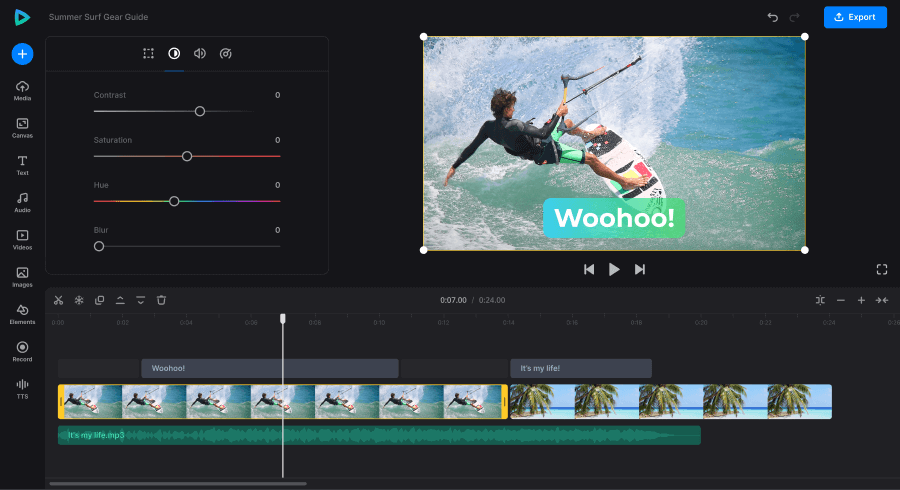
You complete an online lesson and are confident in your understanding, but the next day you can only recall a few of the key points. Sound familiar? Educational videos are easy to watch, but just as you don’t remember the information you read in a book, you may not remember the information you saw on a video. With Clideo tools, learners can prepare shorter video clips, edit subtitles, and organize useful explanations for revision. Combined with a more active approach to studying, these simple techniques can help students, English learners, and teachers make better use of the educational content they already have.
Why Educational Videos Need a More Active Approach
Videos include both spoken explanations and written information plus visual demonstrations. When learning a language or when attempting to grasp a concept that is new, this will be especially helpful.
A 2026 meta analysis published by Cambridge University Press examined 56 experiments involving 1,954 participants. It found positive effects of audiovisual input on second language learning, including vocabulary, grammar, pronunciation, speaking, and listening.
But the format is not enough to ensure that information will be retained. Learners must also listen and review challenging content, and determine if they can explain the content they’ve heard without help.
That’s where a more intentional strategy for using videos in education can come in handy.
Four Ways to Turn a Video Into a Study Resource
1. Break Long Lessons Into Focused Clips
Imagine trying to revise an hour long lecture when you only need to revisit one difficult concept. It can be a distraction and time-consuming to locate the explanation you are looking for.
Rather, break up longer recordings into shorter components covering one topic or question. A language learner might keep separate clips for pronunciation, phrasal verbs, and confusing grammar rules. A science student could organize explanations of individual processes or formulas.
These focused clips can be prepared in your browser using Clideo’s video trimming and splitting features. You can then go back to what you want to pay attention to without having to wade through a full recording.
It’s not about making the videos as short as possible. Be sure to retain sufficient context for the explanation to be understood.
2. Use Captions to Connect Spoken and Written Language
Captions are particularly useful for people learning English. They make unknown words more easily recognisable, highlight expression writing and recognise the relationship between pronunciation and spelling.
A 2025 meta analysis published in Language Learning synthesized 49 independent experiments and found a medium positive effect of captions on incidental vocabulary acquisition during second language learning.
To put this into practice:
- Watch once for meaning. Pay attention to the general meaning rather than stopping for each word that you don’t know.
- View again with captions. Focus on expressions not understood on the first viewing.
- Make notes of helpful phrases. Choose words or expressions you could realistically use in conversation.
- Replay difficult passages. Listen again and try to repeat the phrase aloud.
Subtitle editing capabilities are available on Clideo to help create study videos with subtitles. When using automatic subtitles, be sure to review them for accuracy, in case words were misheard, which can cause inaccurate learning.
3. Make Your Own Revision Library
There is no need to develop a complex digital learning system. It’s much easier to revise when there is a set of helpful video clips.
First, you should make folders for topics and/or reoccurring problems. For instance, an English learner may have folders devoted to listening practice, common expressions, pronunciation and grammar. Clips must have a clear focus and a short statement about the contents.
If several videos explain the same concept, keep the clearest one rather than collecting everything you find.
Clideo lets you edit relevant parts, merge selected parts, or even prepare your file for easy sharing. Over time, your collection becomes a personalized reference library based on the subjects you actually find difficult.
4. Test Yourself Before Rewatching
One of the easiest study habits to overlook is trying to remember information before looking at it again.
Pause after every lesson and paraphrase its key concept(s). If it’s not possible, find the missing piece and review the corresponding section.
Try this sequence:
- View a specific explanation.
- After watching the video, summarise the key points.
- Write down anything you cannot remember.
- Rewatch the relevant section.
- Repeat the concept without referring to the screen.
This approach turns video viewing into an active task. While editing can help to simplify the material, the true measure is if you can apply what you have learned on your own.
Try This 15 Minute Video Study Routine
If you don’t know where to begin, try this easy exercise for your next lesson.
| Time | What to do |
| 3 minutes | Watch a focused explanation without interruptions. |
| 4 minutes | Read challenging parts with captions. |
| 3 minutes | Make notes on main points and new vocabulary. |
| 3 minutes | Explain the lesson from memory. |
| 2 minutes | Review mistakes and identify what to study next. |
These are suggested realistic timings only and not a scientifically determined formula. If a topic is really difficult, allow yourself more time.
Preparing short clips and accurate captions beforehand can make the routine easier to follow, especially when you are revising several topics.
Make Every Viewing Session Count
It is not always necessary to watch more videos or study longer to be more successful. It needs a clearly-stated goal, chances to go back to difficult content, and a method for self-testing what you really know.
Begin with one lesson, select the parts to be retained and create concise revision files. With Clideo tools and a more active study routine, educational videos can become more than something you watch once. These can be a resource that you revisit whenever you need to reinforce your knowledge.