

Key Takeaways
- Video surveillance is most useful when cameras, analytics, people, and response procedures work together.
- Businesses should identify specific risks before selecting hardware, software, or monitoring services.
- Analytics can help flag events such as perimeter activity, restricted-area entry, loitering, and vehicle movement.
- Human review remains important when an alert could lead to a security or emergency response.
- Privacy, access permissions, retention rules, and audit practices should be part of the initial plan.
- Many sites can improve coverage through targeted upgrades instead of replacing every camera.
For Cleveland businesses, smarter surveillance begins with a workflow, not a camera purchase. From downtown storefronts and warehouse districts to parking areas exposed to Lake Erie weather, video systems need to do more than save footage. They need to help teams recognize important events, verify what happened, and respond appropriately.
Businesses evaluating video analytics services Cleveland can look to Quick Response Monitoring, a Cleveland, Ohio provider serving security dealers locally and nationwide. Its video analytics offering focuses on AI-assisted detection, real-time alerts, CCTV analytics, remote video monitoring, and integrations with existing camera and security systems. With more than 40 years of monitoring experience, Quick Response Monitoring brings practical central-station knowledge to building response workflows that help dealers and commercial clients act on verified events.
Why Video Surveillance Workflows Matter More
Traditional surveillance often starts and ends with recording. That approach may help after an incident, but it does little for a manager who needs to make a timely decision as an event unfolds. Modern video analytics can identify defined patterns or objects and send an alert for review, turning a camera network into a more active security tool.
The technology alone is not the workflow. A useful process explains who receives the alert, how they review it, what level of response is appropriate, and how the outcome is documented. This structure can also support daily operations, such as understanding visitor flow, queue buildup, or recurring safety issues around a facility.
Start With a Site Risk Review
Before choosing a platform, walk the property and identify where risk actually occurs. Cleveland’s changing daylight, rain, snow, glare, and wind can affect image quality and detection reliability, particularly at exterior doors, loading docks, lots, and fence lines.
Questions to Ask First
- Which entrances, exits, loading areas, and restricted zones need coverage?
- Where do theft, trespassing, workplace incidents, or false alarms occur most often?
- Which events require immediate notification, and which only require recorded evidence?
- Will lighting, shadows, weather, parked vehicles, or obstructions affect the camera view?
- Who is responsible for reviewing and acting on alerts after normal business hours?
Choose Detection Goals That Match the Business
A goal such as “better security” is too broad to guide configuration. Instead, define events that matter to the site. A manufacturer may prioritize after-hours perimeter breaches, while a retail location may focus on employee-only doors, occupancy, and suspicious dwell time near high-value merchandise.
- Unauthorized entry, tailgating, or restricted-area access
- Perimeter breaches and after-hours activity
- Loitering or unusual dwell time
- Object removal, abandoned objects, or vehicle activity in controlled areas
- People counting, occupancy limits, and traffic-flow patterns
- Heat mapping for facility planning when there is a defined operational purpose
Build the Workflow Around Alerts
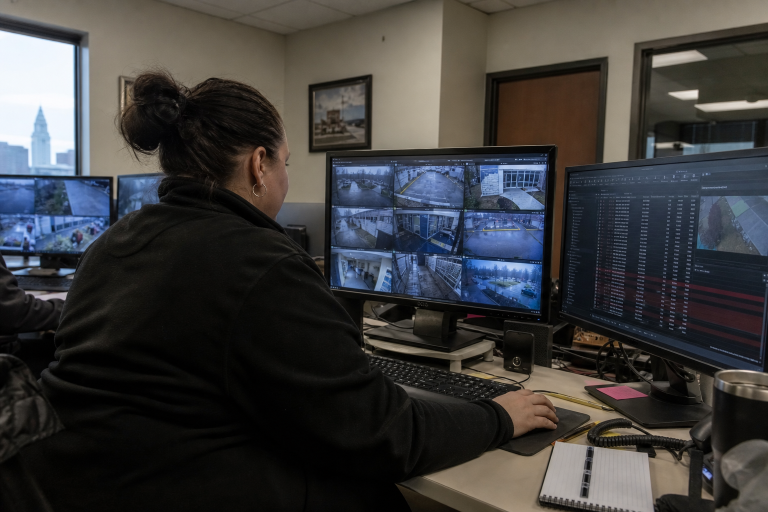
An alert is valuable only when it produces a clear next step. Teams can adapt this six-part process:
- Detect: The system identifies a defined event in a designated area.
- Filter: Rules reduce likely noise from harmless movement, weather, shadows, or animals.
- Verify: A trained operator or responsible employee reviews the clip and camera context.
- Respond: The team follows the appropriate procedure, such as contacting a site manager, security officer, or emergency service.
- Document: Record the event, actions taken, and outcome.
- Improve: Adjust zones, schedules, sensitivity, and escalation rules based on real results.
Connect Cameras With Other Security Tools
Video becomes more useful when it provides context for other systems. A door-forced-open signal paired with a camera clip can be easier to evaluate than either event alone. Cameras may work alongside access control, intrusion alarms, intercoms, lights, and remote monitoring procedures.
Before buying new equipment, confirm interoperability among cameras, video management software, storage, and security devices. Businesses that need consistent export and evidence-handling practices can review NIST guidance on CCTV video export to assess compatibility and video metadata requirements.
Decide When Human Review Is Needed
Automation can prioritize attention, but it should not replace judgment in every situation. Use automated alerts for routine, narrowly defined events. Require human verification for higher-risk incidents, especially when an action could affect employees, visitors, customers, or law enforcement.
- Set low, medium, and high-priority response levels.
- Provide reviewers with short clips, camera location details, and site contacts.
- Track false positives, missed events, review time, and camera downtime.
- Train employees to follow the response plan consistently.
Use Video Data Responsibly Beyond Security
Carefully configured, analytics may help businesses analyze traffic at entrances, queue lengths, dwell time in selected zones, staffing needs, and recurring maintenance issues. These uses should have a documented purpose and should not become an open-ended collection of information about people.
Privacy risk can arise from how data is used, not only from a cybersecurity incident. The privacy risks of business data analytics are a useful reminder to limit access, define retention periods, and ask service providers how video-related data is handled.
Plan Privacy and Data Governance Early
- Define who may view live feeds, recorded video, clips, and reports.
- Use role-based permissions and strong authentication.
- Set retention periods based on operational needs, storage capacity, legal obligations, and incident review requirements.
- Document where the video is stored, how it is shared, and who can export it.
- Limit sensitive tools, including facial recognition, to approved and legitimate uses.
- Review signage, notice, consent, and local legal requirements with qualified counsel.
How to Upgrade Existing Cameras
Do not assume that every camera needs replacement. Review resolution, field of view, placement, lighting, network capacity, storage, timestamps, and software compatibility. Pilot analytics on a small group of cameras first, then replace equipment only where image quality or placement prevents reliable detection.
Measure Whether the System Is Working
Review performance monthly. Track total alerts, verified incidents, false-alert patterns, average review time, response time by event type, network interruptions, and feedback from employees who use the system. If alerts overwhelm staff or miss meaningful events, refine the rules before expanding coverage.
A Practical 30-Day Rollout Plan
- Days 1 to 5: Map the site and list the highest-priority risks.
- Days 6 to 10: Review cameras, lighting, networks, storage, and access controls.
- Days 11 to 15: Select two or three valuable detection rules.
- Days 16 to 20: Train reviewers and document response procedures.
- Days 21 to 25: Test alerts in normal, low-light, and adverse-weather conditions.
- Days 26 to 30: Reduce noise, address gaps, and finalize the workflow.
Conclusion
Smarter surveillance for Cleveland businesses is not about adding the most features. It is about choosing clear goals, generating useful alerts, keeping people involved in important decisions, following reliable response procedures, and handling video data responsibly. When the workflow comes first, technology choices become more practical and defensible.